Hardware
You can build one of two robots:
-
DiffBot
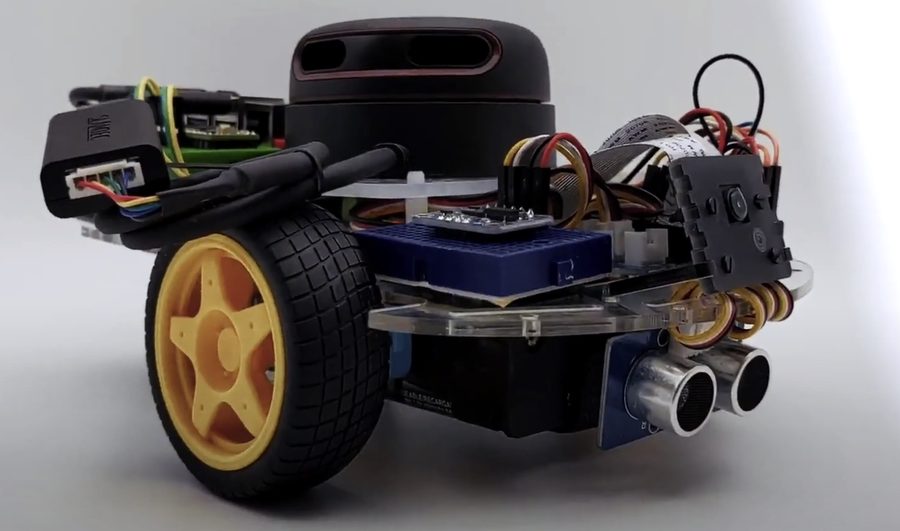
Your own two- or four-wheeled differential drive robot, like the one in the
diffbot_descriptionpackage. -
Remo
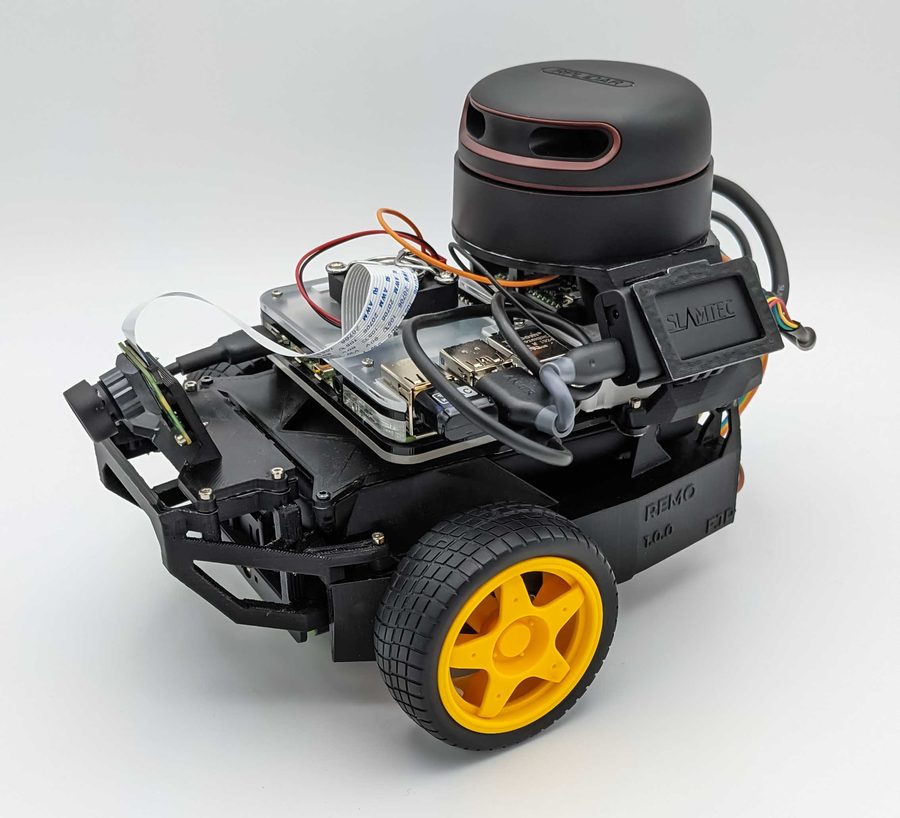
A modular robot platform based on NVIDIA's JetBot, which you 3D print. Its robot description is the Remo Description package. You need a 3D printer with a build volume of about 15×15×15 cm, or a local or online print service, and the STL files, see 3D Printing.
The Components page has the bill of materials. The sections after Build Remo in this menu describe the parts in detail: Processing Units, actuators, sensors and the power supply.
The following pages guide you on how to setup the hardware of your robot (either DiffBot or Remo).
- 3D Printing is only relevant for Remo robot (not DiffBot). Here you will learn which parts to print and some suggestions to configure your slicer.
-
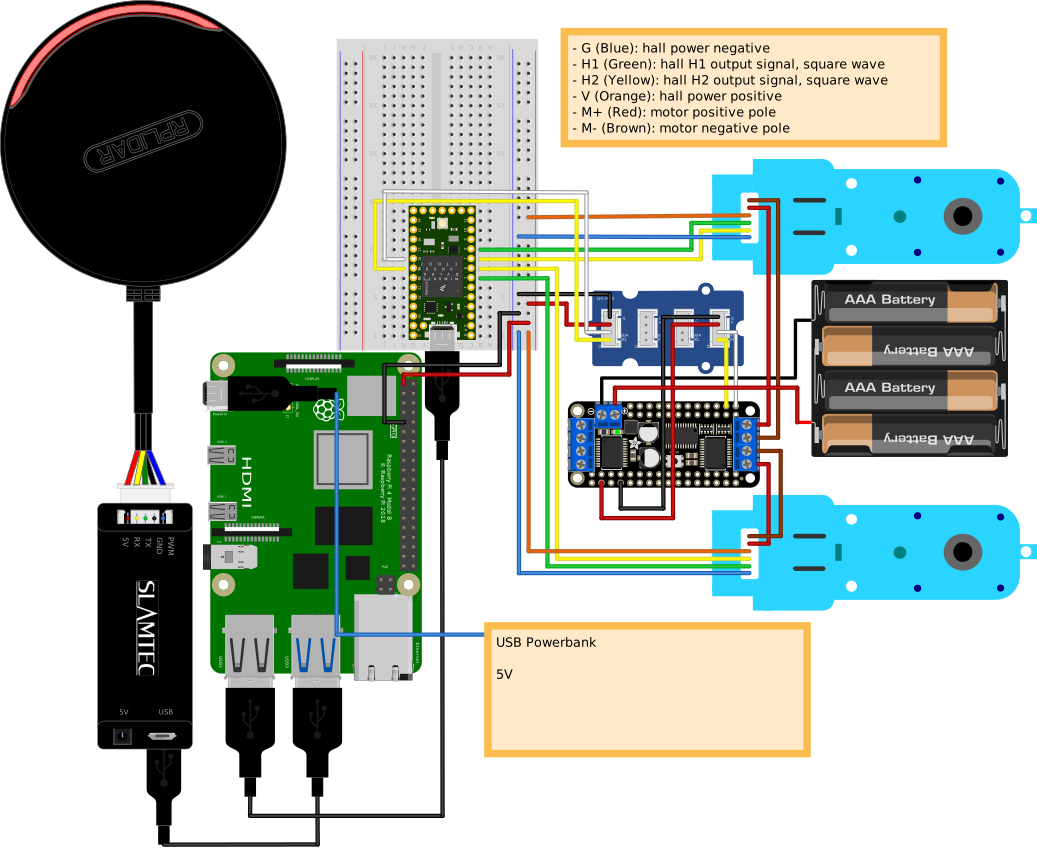
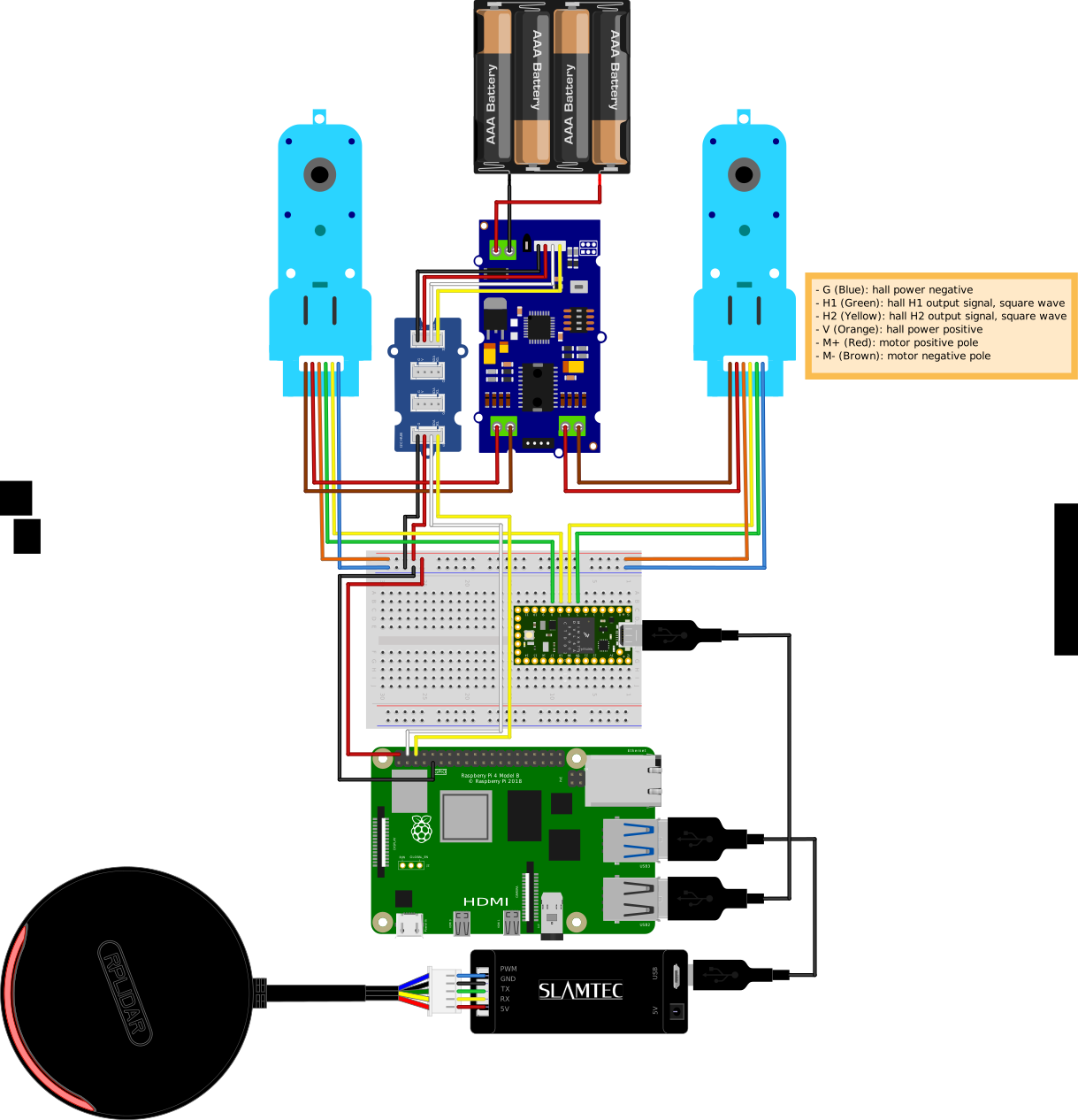
Electronics provides instructions to connect the single board computer (e.g. Raspberry Pi), microcontroller (e.g. Teensy) as well as the other components such as the motor driver, motors and laser scanner.
Preview of connection schematic
The bread board view from Fritzing shows the connection schematic. Both models (DiffBot and Remo) use slightly different hardware (e.g. motor driver) which you can see in the following:
-
Assembly give instructions to assemble Remo robot.
Comments
Comments are GitHub Discussions, shown with giscus. Loading them connects to giscus.app (hosted by Vercel, USA) and GitHub (USA); you need a GitHub account to comment.