Raspberry Pi Camera
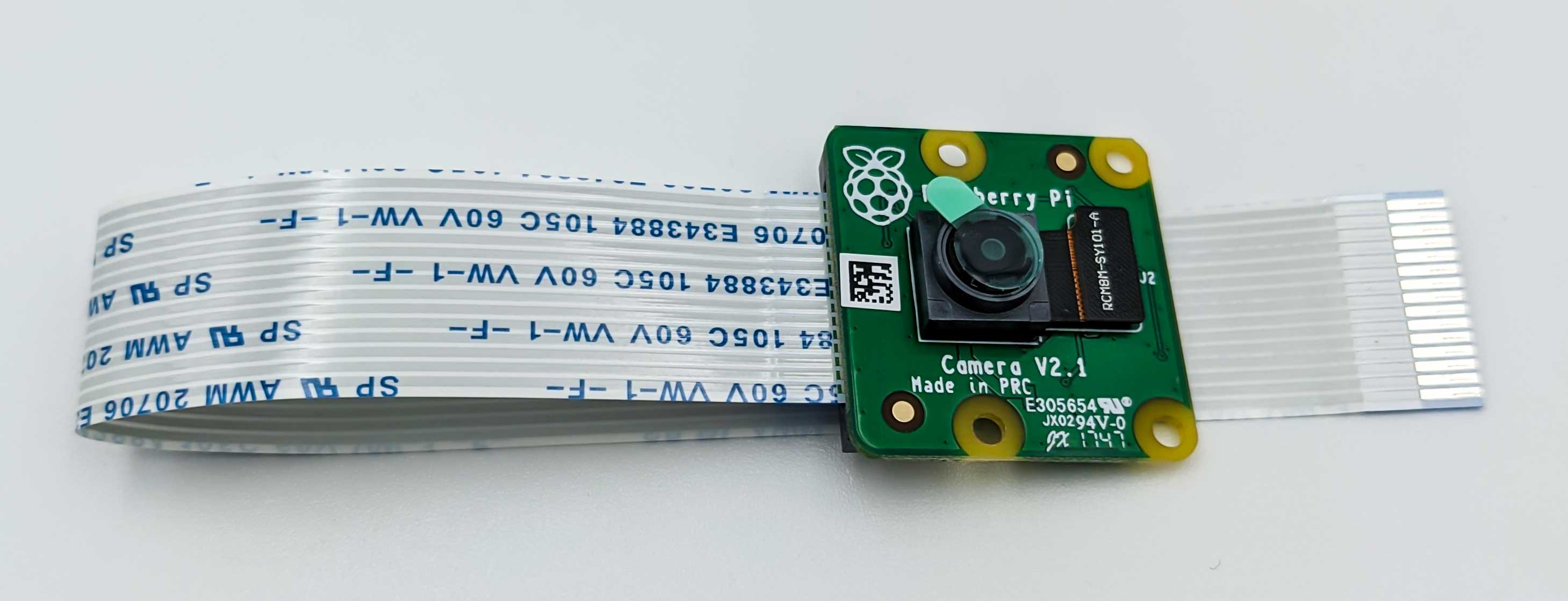
The diffbot robot uses the UbiquityRobotics/raspicam_node
to interface the Raspberry Pi Camera v2.
Ubuntu 20.04 only
raspicam_node uses the Raspberry Pi's legacy camera interface (MMAL), which works on the robot's Ubuntu 20.04. Current systems use libcamera instead: Raspberry Pi OS since Bullseye, and Bookworm no longer has the legacy interface. A driver for current systems, for DiffBot and Remo, is planned in diffbot#111.
Setup
Currently there exists no binary of the raspicam_node for ROS noetic (only for kinetic there is the ros-kinetic-raspicam-node).
To work with the raspicam_node for ROS Noetic, you have to build it from source with steps
outlined in the build instructions of the readme.
For completeness, these steps are listed here:
First go to your catkin_ws cd ~/catkin_ws/src and download the source for this node by running
1 | |
rosdep doesn't know two of its dependencies: the Raspberry Pi's camera libraries libraspberrypi0 and libraspberrypi-dev. Ubuntu 20.04 for the Raspberry Pi has them as packages (in focal-updates, universe). The rosdep rules for them that Ubiquity Robotics published (UbiquityRobotics/rosdep, raspberry-pi.yaml) are no longer online, so add the rules as a local file, and tell rosdep where it is. The first command removes the entry for the old rules that earlier versions of this page added, if it's there: with it, rosdep update fails.
1 2 3 4 5 6 7 8 9 10 11 12 | |
Then update rosdep's index:
1 | |
Next, we parse the package.xml file for required dependencies and also install them with the rosdep command:
1 2 | |
Finally, you can compile the code with the catkin build command from catkin-tools or
use the legacy catkin_make command.
Running the node
To publish the camera image on the /raw/image/compressed topic run the following on the SBC of the robot:
1 | |
Running rostopic list should show the topics of raspicam node:
1 2 3 4 | |
To view the compressed image run the following command on your development PC:
1 | |
This will open up a window where you can see the camera image. If it is dark, check if you removed the lense protection ;-)
Note
There is also a rpicamera.launch
in the diffbot_bringup package which you can make use of:
1 | |
Comments
Comments are GitHub Discussions, shown with giscus. Loading them connects to giscus.app (hosted by Vercel, USA) and GitHub (USA); you need a GitHub account to comment.